A shared folder contains an offer, an invoice and several audio previews. Which action belongs to the file the visitor has actually opened? The folder name cannot answer that. It might say “Offer” while the viewer is already showing the invoice.
That boundary matters in a custom Nextcloud theme. The frontend knows its own viewer; business rules still need one authoritative home. I added an explicit theme adapter contract to NextInject to connect those two responsibilities.
Three responsibilities
Nextcloud controls file access and share permissions. The share frontend presents the files and knows the current view. NextInject evaluates administrator-managed rules and returns the relevant badges and action links.
A custom share frontend does not need another copy of the offer/invoice rules. The process behind an action link is a separate concern: displaying a button does not prove that an order was accepted or a message delivered.
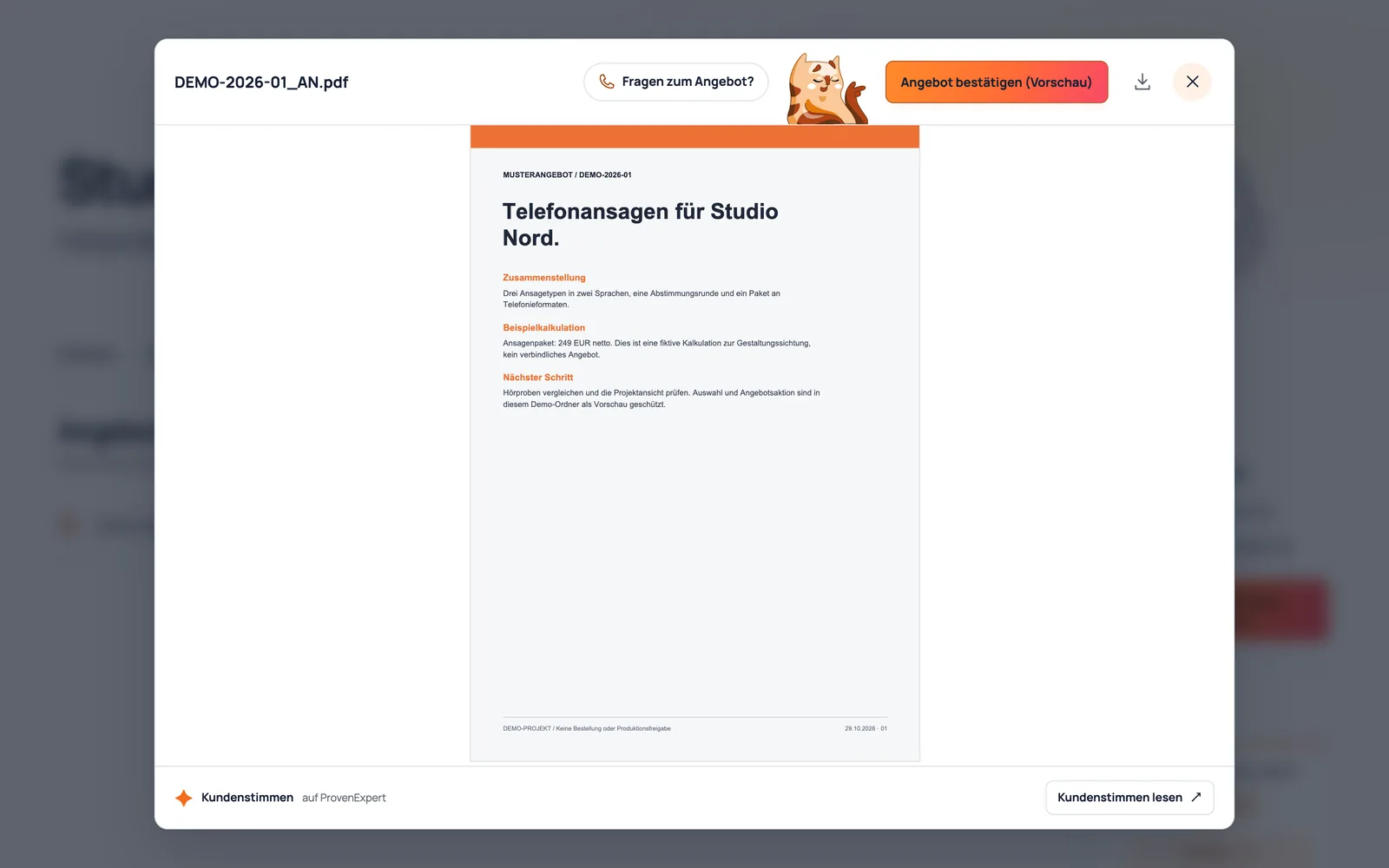
Report the open file explicitly
The adapter reports a file when opening the viewer and reports the end of that context when closing it. This reduced example follows the NextInject 2.1.8 event contract:
window.dispatchEvent(new CustomEvent('nextinject:context-changed', {
  detail: {
    viewerOpen: true,
    fileName: 'Project_AN.pdf',
    dir: '/Documents',
    contextLabel: 'Sample project',
  },
}));

// After closing the viewer:
window.dispatchEvent(new CustomEvent('nextinject:context-changed', {
  detail: {
    viewerOpen: false,
    fileName: null,
    dir: '/Documents',
    contextLabel: 'Sample project',
  },
}));
An open viewer takes precedence. Without a viewer, the current folder is considered before the share context. An open viewer with no filename produces no action. This prevents an old offer action from becoming a fallback while the next viewer file is still unknown.
The adapter must report every opening, file change and closing it owns. History navigation resets the theme context, so sending one event during initial page load is insufficient.
Consume the returned actions
After a meaningful update, NextInject emits nextinject:updated. The response includes the context, active rule and currently valid links. The adapter consumes those links rather than rebuilding URLs from filenames independently.
window.addEventListener('nextinject:updated', ({ detail }) => {
  const offerOpen = detail.context?.viewerOpen === true
    && detail.activeRule?.badgePreset === 'angebot';

  // Update your own UI. Remove old links before a file change;
  // accept new actions only from feedback matching the current file.
  renderContextActions(offerOpen ? detail.actions : []);
});
renderContextActions represents the frontend’s own rendering function; it is not a built-in NextInject method. Rendering that response must not emit the same context again and create an event loop. Action links are offered to the visitor, never invoked automatically.
Reserve a badge host in custom file rows
A smaller contract handles file rows. The frontend provides a filename and a dedicated badge host:
<div data-nextinject-file-name="Project_AN.pdf">
  <button type="button">Project_AN.pdf</button>
  <span data-nextinject-badge-host></span>
</div>
NextInject fills that host. The same file can appear in both a list and a sidebar without the frontend duplicating the matching rules. Each surface owns the spacing around the badge; the central configuration owns its meaning.
Test the transitions
A visible offer button is the easy case. The useful tests are the changes around it:
- Offer to invoice: remove the previous offer link immediately.
- Viewer to folder: restore the folder/share context.
- Viewer open, filename missing: do not reuse an action inferred from the share title.
- Rebuilt rows: request a badge scan without altering viewer context.
- Unchanged state: avoid an endless series of update events.
The NextInject repository and adapter documentation define the concrete fields. From version 2.1.8 the app declares Nextcloud 31–35 compatibility. That declaration is not evidence that every server, theme and third-party app combination has been tested.
Keep design and integration distinct
The Wolkano gallery contains real customer-facing share designs with fictional sample data. Its German Nextcloud themes service page covers the project scope: which interface to build and which additional workflows to connect.
The technical point here is smaller: a theme reports its state, and a central app supplies the relevant action. For selecting complete custom share frontends, continue with Nextcloud themes selected through system tags.
